 Get the iPhone app
ViralSpinAI is your Repurposing Agent.
See a post you wish you’d made? Tap Share ▸ ViralSpin. It pulls the post in, rewrites it in your voice, and turns it into a reel you film once on the teleprompter, a split-screen carousel or a story video. Then it schedules it everywhere.
Works with
- TikTok
- YouTube
- Articles
- Screenshots
See it. Share it. Make it yours.
The post that stopped your scroll is the brief. Three taps turn it into a script that sounds like you.
-
01

Tap Share ▸ ViralSpin
From TikTok, Instagram, YouTube, Facebook, LinkedIn or Safari. No downloading the video, no copying links around.
-
02

It pulls the post in
ViralSpin opens with the link you shared, fetches the video or article and transcribes it, keeping the original next to your draft.
-
03

It writes your version
Pick a length from 10 to 60 seconds and your angle (founder, builder, skeptic). It rewrites the script in your voice and can weave in recent, sourced facts.
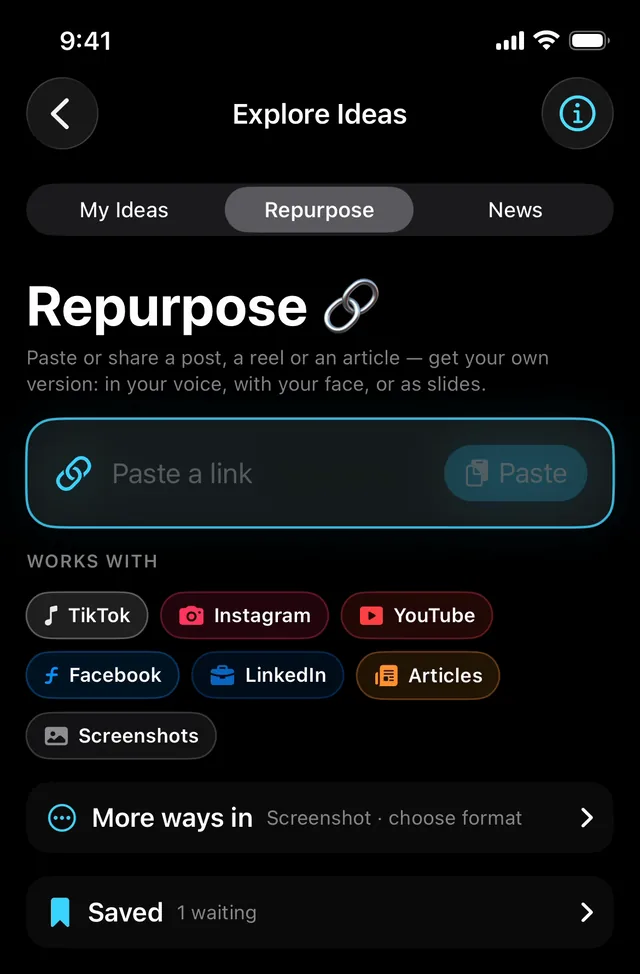
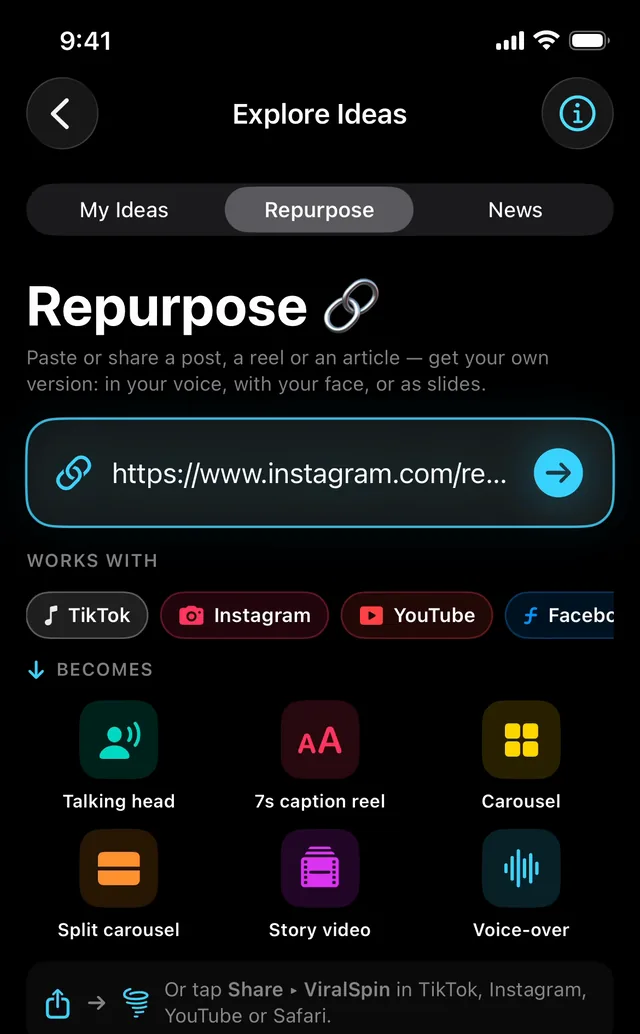
Paste a link. Pick what it becomes.
Share a post or paste its link, and the Repurpose screen shows everything it can turn into.
-
Talking headA fresh 30–45s script you film on the teleprompter.
-
7s caption reelOne line over footage you pick.
-
CarouselRe-cut for reading: 7 to 10 slides.
-
Split carouselSplit-screen slides: top half, bottom half.
-
Story videoAn article told as a scored story film, no camera needed.
-
Voice-overYour voice over the visuals, without being on camera.
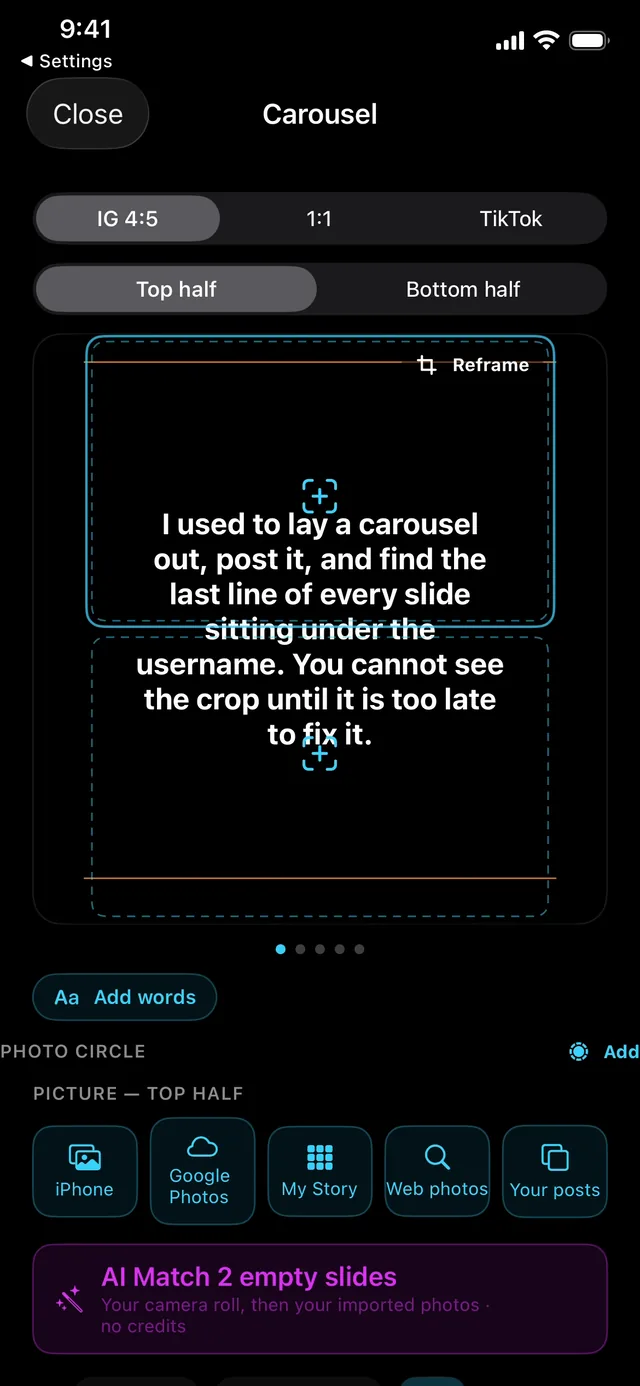
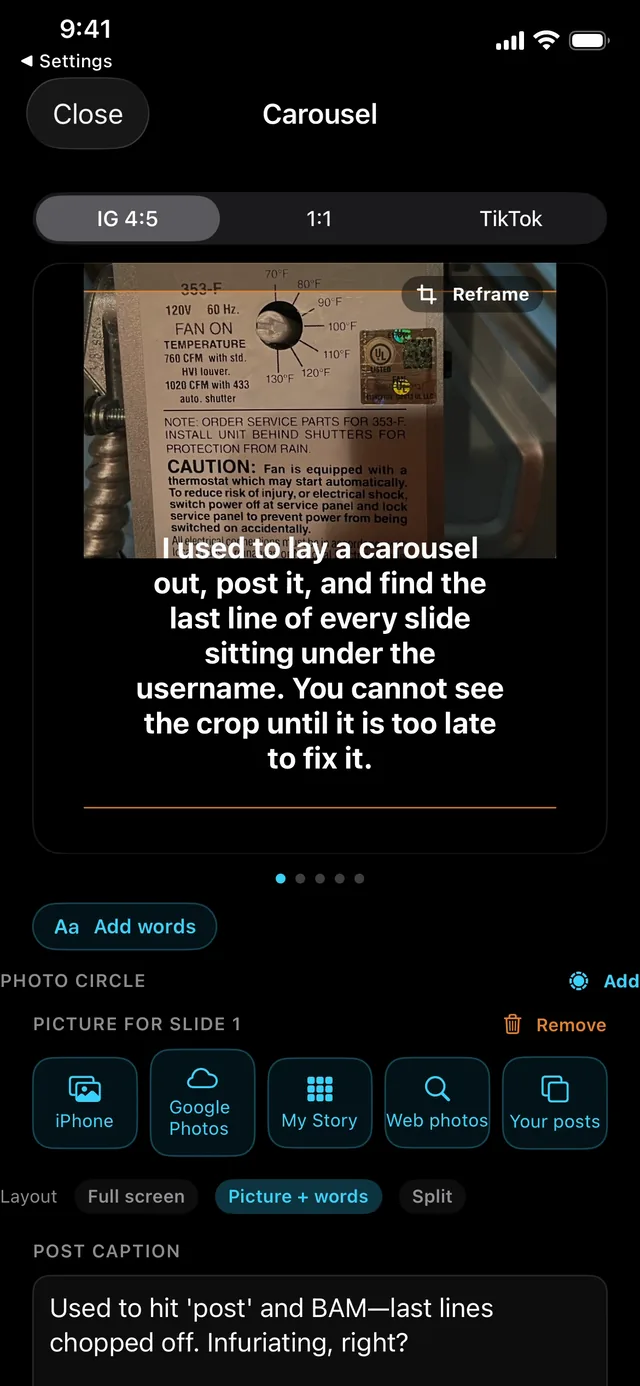
Carousels, built in one pass.
The post becomes a deck you can actually read. Pick Full screen, Picture + words, or Split: one picture on the top half, another on the bottom.
- See every slide at the crop you’re posting to (Instagram 4:5, 1:1 or TikTok) before a word is committed.
- AI Match fills empty slides from your camera roll, then your imported photos.
- Pull pictures from your iPhone, Google Photos, My Story or the web.
Read it. Film it once.
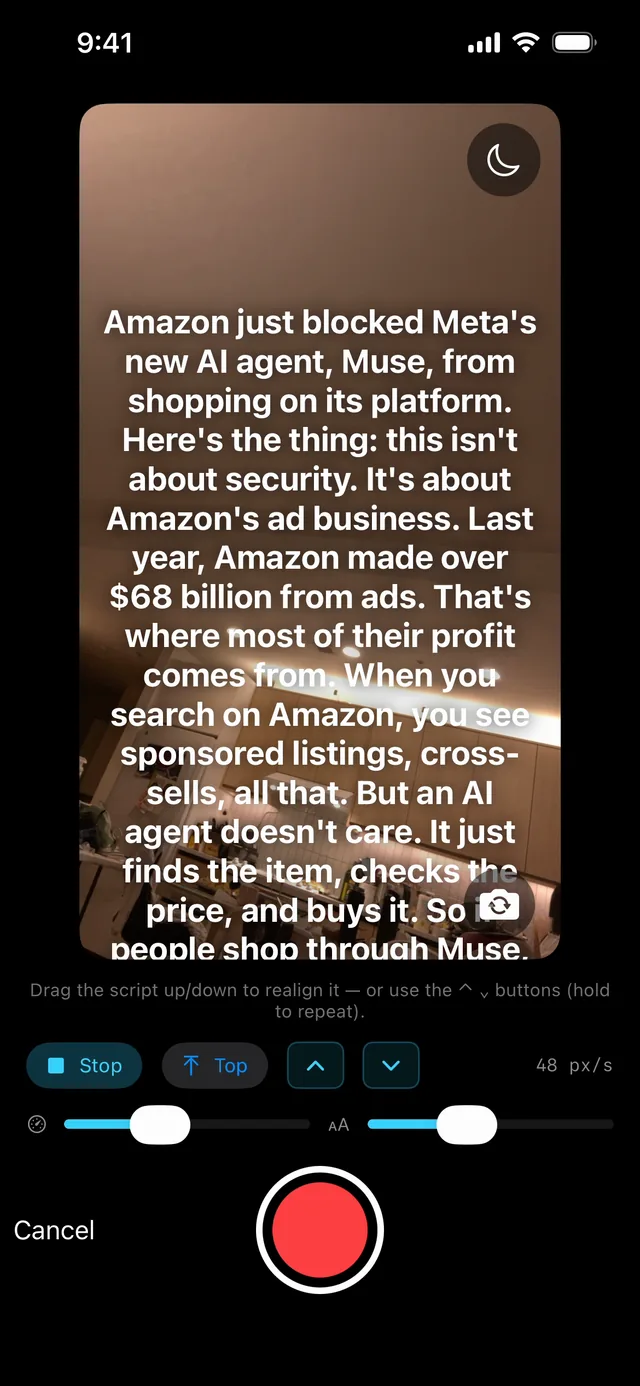
Your new script scrolls over the camera while you record. Practise the scroll first, then set the speed and text size to your pace.
- See it before you film it. Preview the whole reel, with its b-roll and cards, before you record a word.
- One take. Read straight off the screen. No memorising, no second device propped against a mug.
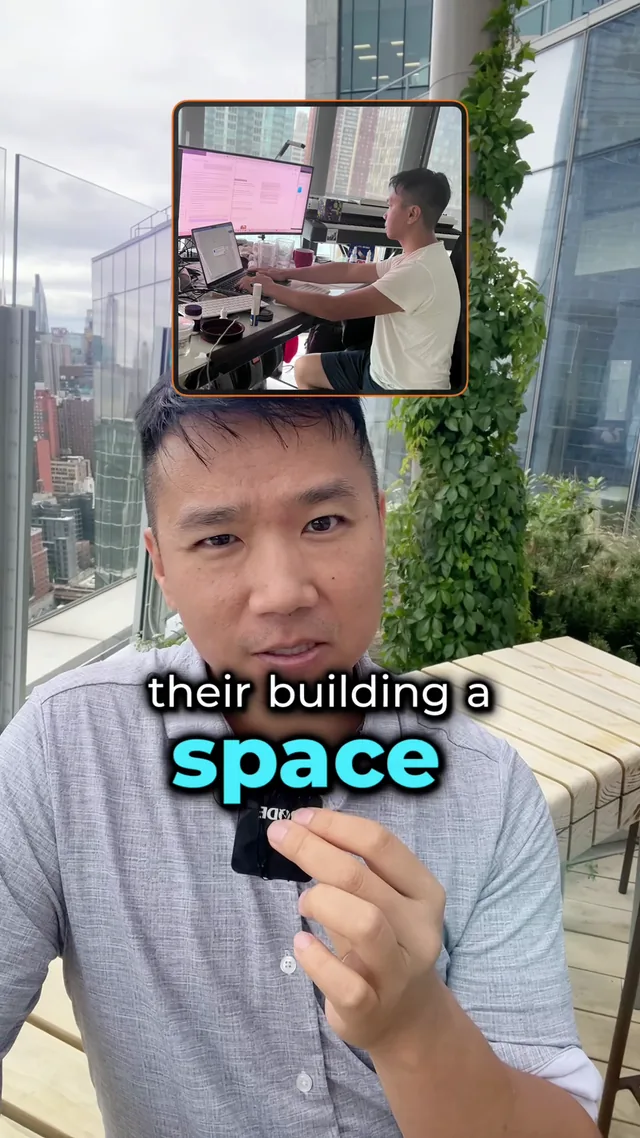
- Then it edits. Captions, b-roll and picture-in-picture land on your take, on the phone that shot it.
Then it posts, everywhere.
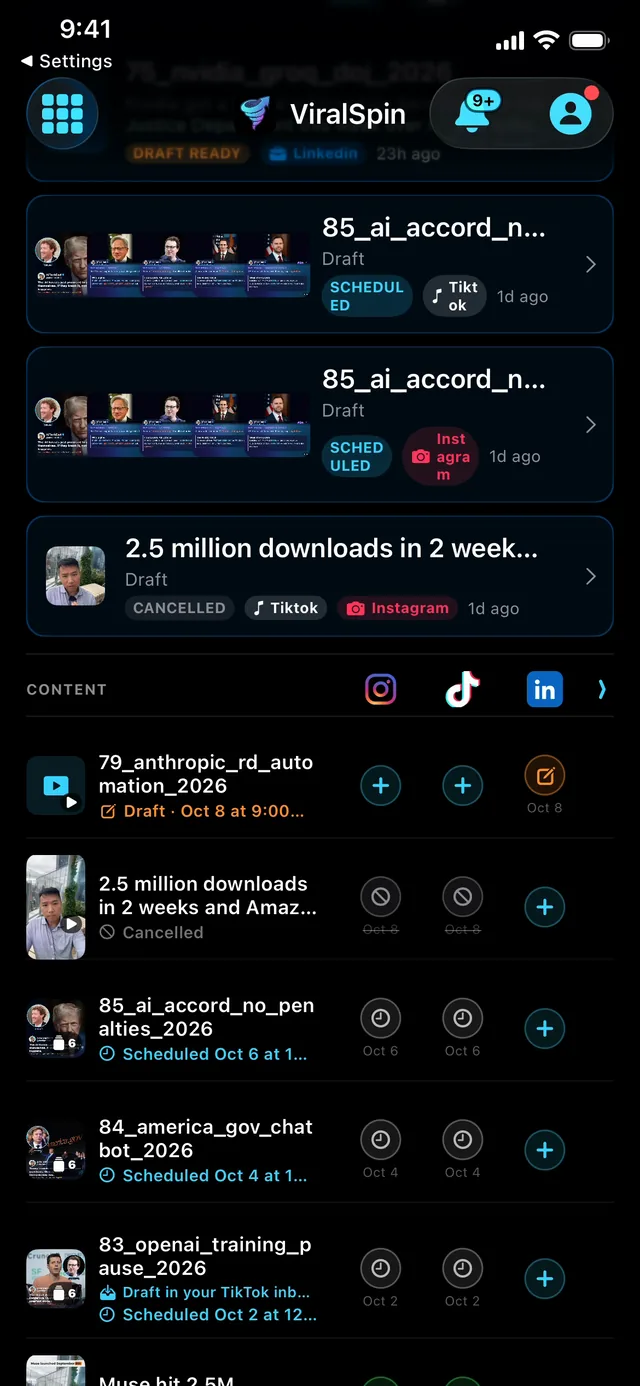
Post now or pick a slot. Tune the caption (longer, shorter, a stronger hook), post to more than one account, and see each platform’s week on one calendar.
- TikTok
- YouTube
Scheduled posts go out on time from the cloud, even with your phone off.
Your next post is already out there.
Share it to your Repurposing Agent. ViralSpinAI is free on the App Store.
Not on iPhone?
Leave your email and we’ll send one note when ViralSpin comes to your device.
One email when it ships. No list, no drip.
Already using it? Tell me what broke.
Anything at all — a crash, a button that did nothing, a script that came out wrong, or something you wanted and couldn’t find. Specifics beat politeness.